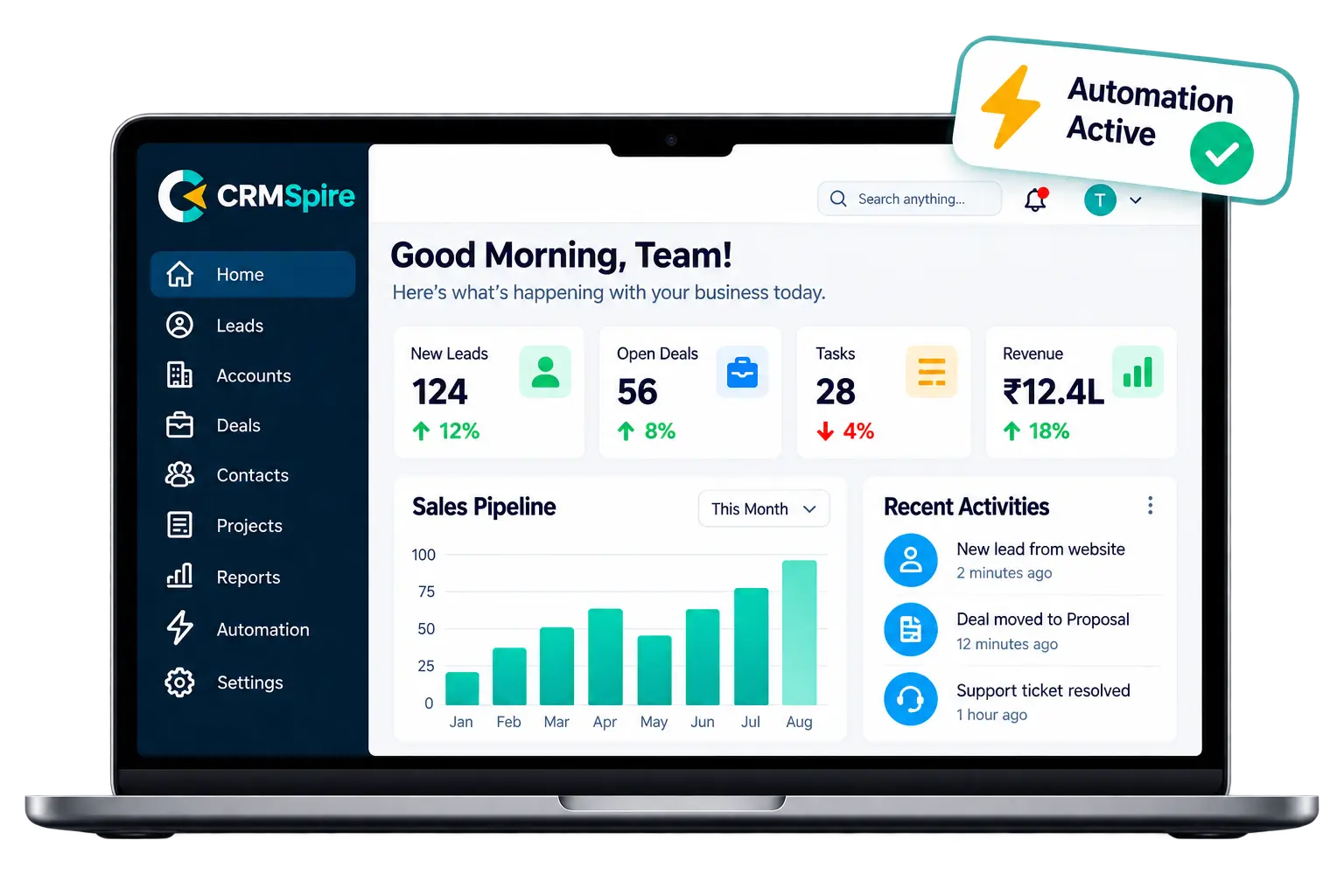
To be able to properly implement CRM for your business, you need more than a login and an import file. A Zoho CRM implementation succeeds when the system fits how your sales team really operates. Zoho works with over 250,000 companies in 150 countries, but many teams still face broken workflows, messy data, and people not using it after launch. This guide shows you a simple way to plan, set up, and roll out Zoho CRM smoothly.
- Define business goals and map your sales process before configuring any features.
- Design a lean structure and customize only when standard features fall short.
- Clean data, test migration, and set go-live criteria before your team starts using the system.
What Does Zoho CRM Implementation Actually Involve?
Let us understand what a Zoho CRM implementation really means. It is not just installing software. It means aligning the CRM configuration with four core areas of your business. The goal is a system that reflects how your business actually operates, not a generic template.
Business Processes
How your sales team moves a lead to a closed deal. This includes your pipeline stages, handoff points, and approval steps.
Data
What you store, where it lives, and how clean it is. Poor data quality is one of the most common reasons CRM projects fail.
Teams
Who owns which records and what they can access. Clear roles and permissions prevent confusion and protect sensitive information.
Reporting Needs
What leadership must see to make decisions. Reports and dashboards should answer real business questions, not just fill a screen.
The Implementation Lifecycle
A proper Zoho CRM implementation process moves through six stages.
- It starts with discovery, where you map current workflows and identify gaps.
- Next comes design, where you plan modules, fields, and user roles.
- Configuration follows, then data migration.
- After that, you test the system and train users.
- The final stage is optimization, where you refine based on real usage after launch.
Basic Setup vs. Business-Specific Implementation
A basic setup is quick. You turn on standard modules, add a few fields, and import contacts. It works for small teams with simple needs.
A business-specific implementation goes further. It includes Zoho CRM customization only where standard features cannot handle your workflow. It also covers permissions, automation, and reporting built around your actual sales cycle. And it plans for scale without adding unnecessary fields or modules.
And here the difference shows up in adoption, where the teams use a system that fits their work, not one they have to work around.
Define Business Goals and Map Your Existing Sales Process
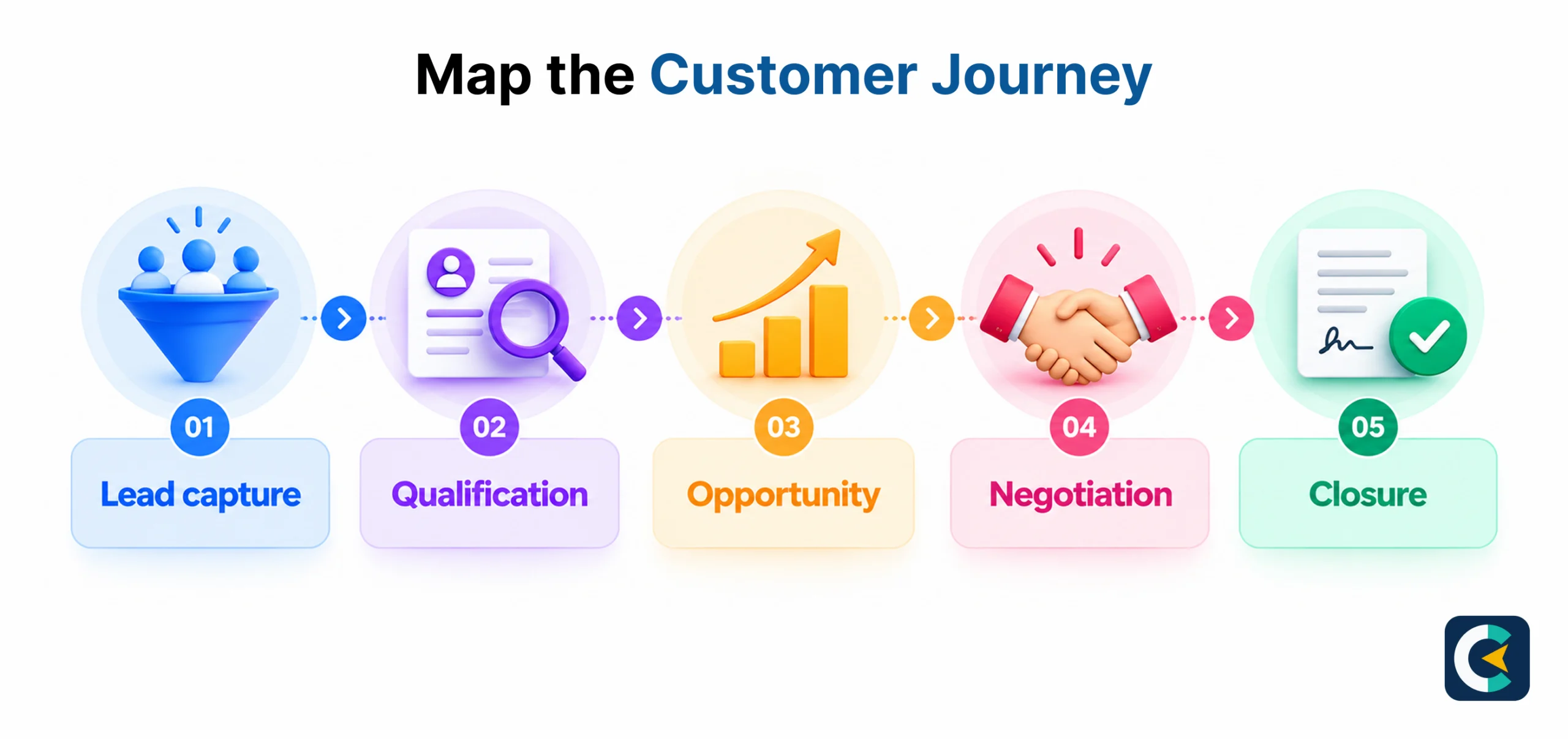
Before you open Zoho CRM and start adding fields, define what the system must fix. This step shapes your entire Zoho CRM implementation strategy.
Identify the Problems First
List the problems your CRM should solve before you configure anything. Common issues include leads sitting untouched for days, deals lost due to poor follow-up, and managers unable to see accurate forecasts.
Define Ownership and Approvals
Decide who owns each lead and record. Set clear rules for lead assignment, transfer, and reassignment. Define which deals need manager approval and at what stage. Document team responsibilities to help reduce challenges.
Set Measurable Outcomes
Every goal needs a number attached. Track lead response time, conversion rate, and forecast accuracy. These metrics tell you whether the CRM is working after launch.
Example: Turning Slow Follow-Up Into a Workflow
A company finds that leads wait an average of two days before first contact. The team maps the gap and builds a rule in the CRM. New leads are assigned automatically, and a reminder task fires within 30 minutes. A dashboard tracks response time by rep, and six weeks later, average response time drops to under one hour. The fix needed a defined process and a measurable KPI.
CRMSpire Pro Tip: Write down your top three sales problems before opening Zoho. Each problem should map to a workflow and a KPI.
Design Your Zoho CRM Structure Before Customizing
You can easily design your CRM the right way by planning the structure before adding fields and modules. A clean structure saves time during Zoho CRM customization and keeps the system easy to manage.
Start With the Core Structure
Configure only the modules your team needs. For most sales teams, this means Leads, Contacts, Accounts, Deals, and Activities. Add fields that support your mapped process, not every data point you can think of. Build layouts that show reps what matters at each stage. Set up pipelines that match your sales stages, and connect related records so history stays visible.
Set Roles and Permissions
Set up user roles, profiles, and permissions before users log in. Define who can view, edit, and delete records. Use record-sharing rules to control access across teams. A rep should see their own deals, a manager should see the team pipeline, and leadership should see the full picture. Getting this right early prevents data leaks and confusion later.
Standard Features vs. Custom Development
Review each requirement and ask one question: can a standard feature handle this? Zoho CRM covers most sales needs out of the box. Use standard features first. Only move to custom development when a real workflow gap exists. This keeps your Zoho CRM implementation simpler and cheaper to maintain.
Plan for Scale, Not Complexity
Leave room for growth without adding clutter. Every new field, module, or automation adds maintenance work. Add what you need now, and design so you can extend later. A lean structure is easier to train, easier to support, and easier to optimize after launch.
Prepare Your Data and Plan a Reliable Migration
To be able to have a smooth Zoho CRM implementation process, prepare your data before you migrate. Start by auditing existing spreadsheets, CRM records, and customer databases. Clean duplicates, standardize field formats, and flag incomplete or outdated records for review.
Next, map each source field to the correct Zoho CRM module. Preserve relationships between records, such as contacts linked to accounts and deals linked to contacts. This step prevents lost history and broken reporting after migration. Always run a test migration first, and validate record counts, ownership assignments, and critical data before the final move.
Configure Workflow Automation and Essential Integrations
Now comes the part that saves your team the most time: workflow automation and integrations. Automate lead assignment, follow-up reminders, task creation, and stage-based actions so reps focus on selling, not admin work.
Identify which systems must connect with CRM. Common examples include website forms, email platforms, accounting software, and customer support tools. Decide when native integrations are sufficient and when APIs, custom functions, or middleware are required for complex needs.
Define error handling and data synchronization rules upfront. Assign clear ownership for integration maintenance, so issues are caught and fixed quickly after your Zoho CRM implementation goes live.
Test, Train, and Launch Zoho CRM With Clear Go-Live Criteria
Before the launch of the CRM, set clear go-live criteria. Test workflows, confirm data completeness, and check that reports produce accurate numbers. Train users on their daily tasks, not just features.
After launch, track adoption, lead response time, conversion rates, and reporting reliability. Review workflow failures, user feedback, and data-quality issues weekly. Prioritize fixes based on business impact, not on requests for new features.
Consider an implementation partner when requirements are complex or when your team lacks time for ongoing optimization. A good partner supports your Zoho CRM implementation strategy beyond go-live.
Measure Implementation Success and Optimize After Launch
If you are wondering how you can measure success here with the implementation, start with a simple scorecard.
- Track adoption, data completeness, lead response time, conversion rates, and reporting reliability.
- Review workflow failures, user feedback, and data-quality issues after launch.
- Prioritize improvements based on business impact, not on new features without a clear purpose.
- Consider an implementation partner when requirements are complex or your team needs ongoing optimization to keep your Zoho CRM implementation delivering value.
Conclusion
When automating the way your team works, remember that the tool matters less than the plan behind it. A Zoho CRM implementation works when you define goals first, design a clean structure, prepare your data, and test before launch. Each step builds on the one before it. If your team needs help along the way, CRMSpire offers consulting and support that can guide the process. In the end, a CRM is only useful when your team actually uses it every day.