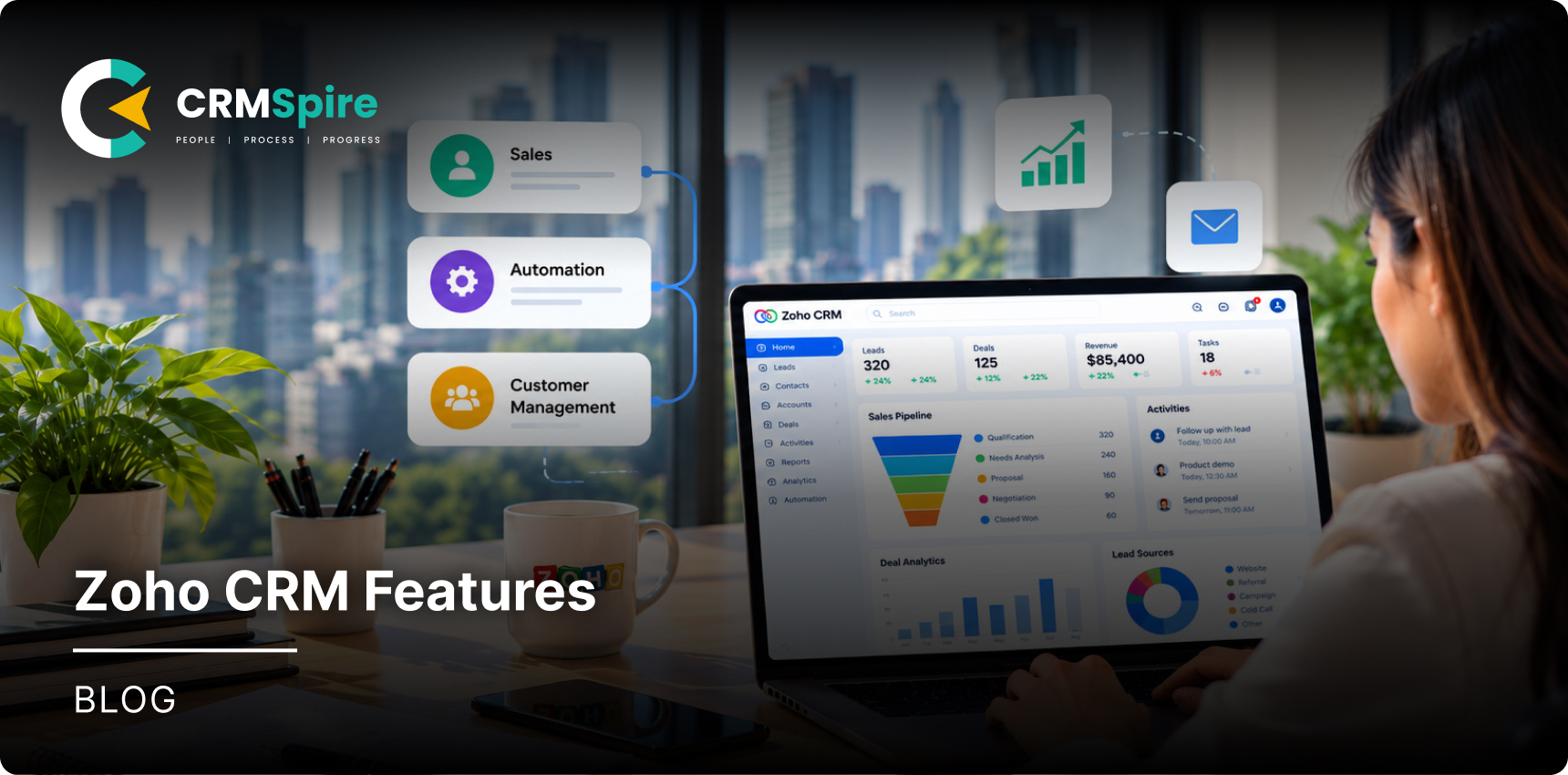
No matter your business niche, implementing Zoho CRM can simplify how your team manages leads, deals, and customer relationships. This platform brings sales, automation, and customer data into one system. In this guide, we will walk through the main Zoho CRM features and explain what each one does. You will also learn who benefits most from these tools and how they support daily sales work.
- Zoho CRM features cover the full sales cycle, from lead capture to deal closure.
- Automation and AI reduce manual work and save time.
- Customization and integrations fit the CRM to your process.
What Are the Main Features of Zoho CRM?
- Lead management: This helps capture, assign, score, and convert the leads into customers.
- Contact and account management: To store customer details and track every interaction.
- Deal management: It can help track deals, stages, and values in one place.
- Sales pipeline: To best view every deal stage and spot bottlenecks fast.
- Workflow automation: Easily automate your tasks, approvals, and follow-ups.
- Reporting and analytics: To build reports and dashboards for real-time insights.
- AI and Zia: You can get predictions, recommendations, and sales intelligence.
- Customization: Easily add custom modules, fields, and layouts for your process.
- Integrations: You can efficiently connect Zoho apps, third-party tools, and email.
- Marketing and customer engagement: To run campaigns and track lead sources.
Since 91% of companies with 10 or more employees use a CRM system, it shows that the features can help transform how you do business in today’s times.
Zoho CRM Lead Management Features
The features that help your business with lead handling support your business at every stage of the sales process, from when someone first reaches out to when they become a customer. Zoho CRM ensure every lead receives attention and moves forward.
Lead Capture
With this you can collect leads from web forms, emails, and social media automatically.
Lead Assignment
Helps you to route new leads to the right sales rep based on rules.
Lead Qualification
You can easily filter leads by budget, need, and timeline.
Lead Scoring
Able to rank leads by engagement and fit so reps focus on the best ones.
Lead Conversion
With this you can turn qualified leads into contacts, accounts, and deals in one click.
Lead Source Tracking
Helps you see which channels bring the most valuable leads.
Contact and Account Management Features
To manage customer relationships well, your CRM should keep clean and organized records of all the people and companies you work with. Zoho CRM tools give your team one trusted place to store and see customer information. These features help your team find information fast and avoid duplicate records.
Contact Management
Able to properly store names, emails, phone numbers, and notes for every contact.
Account Management
You can keep company details, industry, and revenue in one record.
Customer Information and Interaction History
Able to see calls, emails, and meetings in a single timeline.
Contact-to-Account Relationships
Zoho CRM Deal and Sales Pipeline Features
One of the important parts of any CRM is how it handles deals and the sales pipeline. These Zoho CRM tools help your team track every opportunity and know exactly where each deal stands. Using these tools gives sales managers a clear view of what is closing and what needs attention.
Deal Management
It helps you create and manage deals with values, owners, and close dates.
Multiple Sales Pipelines
With this you can run separate pipelines for different products, regions, or teams.
Custom Deal Stages
To be able to match stages to how your business actually sells.
Deal Tracking
Lets you follow each deal as it moves from one stage to the next.
Sales Forecasting
To help you estimate any future revenue based on live pipeline data.
Pipeline Management
You can easily spot stuck deals and gaps before they affect targets.
Zoho CRM Sales Automation Features
To make consistent sales for your business, you need to reduce manual work and keep every step on track. These Zoho CRM features handle workflow rules, assignment rules, approval processes, cadences, blueprints, and automated tasks. This automation lets your reps focus on selling instead of repetitive admin work.
Zoho CRM AI Features
Making use of and implementing AI can give your sales team a real advantage. Zoho CRM has AI features that help your team make better choices and remove any kind of guessing.
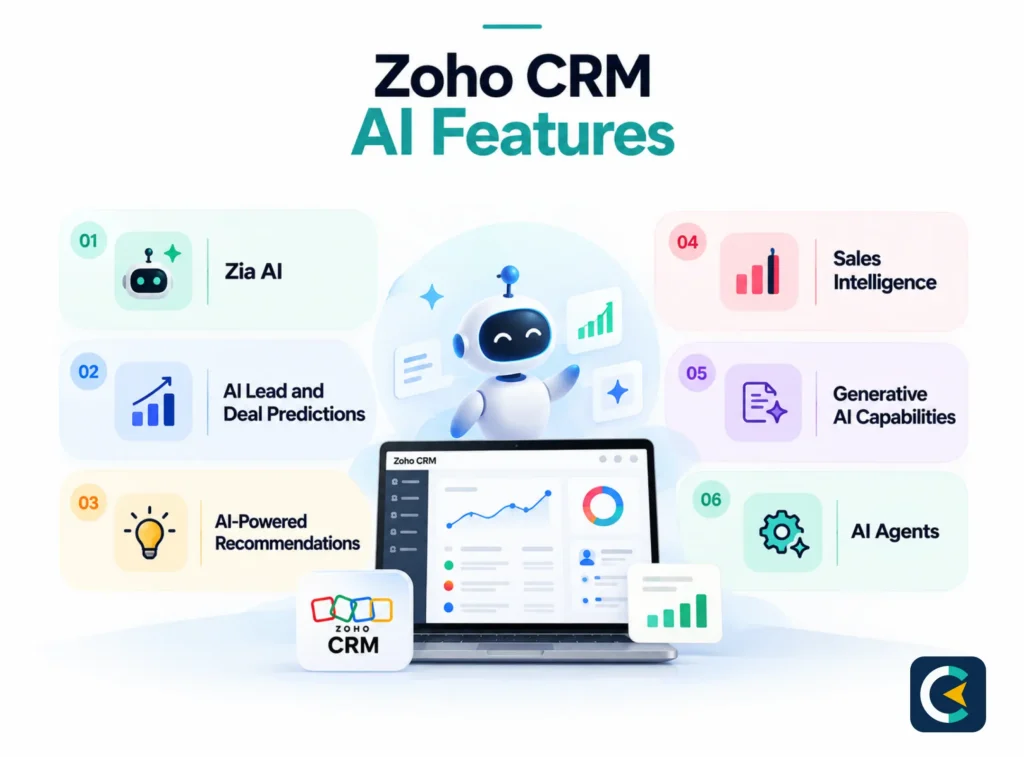
Zia AI
Zia is Zoho’s built-in AI assistant that works across the CRM.
AI Lead and Deal Predictions
With it, you can score leads and forecast deal outcomes based on past data.
AI-Powered Recommendations
You can get suggestions on the next best action for each record.
Sales Intelligence
You get the top trends, possible risks, and unusual patterns from your sales data.
Generative AI Capabilities
You can efficiently craft emails, summaries, and notes with AI support.
AI Agents
Helps you automate routine conversations and support tasks without any manual effort.
You can go for Zoho consulting services to implement these for your specific business.
Zoho CRM Reporting and Analytics Features
Since every business relies on data to make decisions, your CRM must turn raw records into clear insights.
These Zoho CRM software features cover standard reports, custom reports, dashboards, sales forecasting, sales performance tracking, and CRM analytics. They help managers measure sales activity and make quicker decisions based on real data.
Zoho CRM Customization Features
It is also possible with Zoho CRM to match how your team works. You can adjust custom modules, custom fields, page layouts, custom views, roles and profiles, and custom functions without needing a developer.
This Zoho CRM functionality means your CRM adapts to your process, not the other way around.
Zoho CRM Marketing Features
When it comes to marketing, your CRM should help you run campaigns and connect them to real revenue.
These Zoho CRM capabilities cover campaign management, lead generation, email marketing, marketing attribution, and lead source tracking. Each tool shows which campaigns bring quality leads and which channels deserve more budget.
Zoho CRM Integration Features
With Zoho CRM, you can also connect the tools your team already uses every day. These Zoho CRM features cover Zoho application integrations, third-party integrations, email and calendar sync, API and developer tools, and workflow automation integrations. This keeps data flowing between systems without manual entry or duplicate records.
Zoho CRM Security and User Management Features
These features that protect your customer data matter just as much as the sales tools. This part of the Zoho CRM features list includes roles and profiles, data sharing and permissions, field-level security, and audit and security controls. Together, they control who sees what and keep a record of every change.
Zoho CRM Features by Plan
You get many useful features even on the free plan, but paid plans open up more power. The Standard plan covers core sales needs, Professional adds automation and scoring, Enterprise brings Blueprints and advanced customization, and Ultimate includes the full AI and analytics set.
AI and automation depth is the biggest difference between tiers. For a full comparison, see our Zoho Implementation Pricing.
Zoho CRM Features Example: From Lead to Closed Deal
Let us see how these Zoho CRM features work together in a real sales cycle:
- A lead is captured from a web form.
- The lead is assigned to a rep.
- The lead is qualified based on fit.
- A contact and account are created.
- A deal is created in the pipeline.
- A workflow triggers the next steps.
- Follow-up activities are scheduled.
- The deal moves through stages.
- Forecasting and reports update.
- The deal is marked as won.
How to Get the Most From Zoho CRM Features?
For your business, you can get more value by setting up the system properly.
- You can start by mapping features to your actual sales process, then configure modules and fields to match it.
- Automate repetitive tasks and customize pipelines around your deal stages.
- Next, you need to connect the integrations your team needs and train users properly.
- Finally, monitor reports and keep improving workflows over time.
- If you need help, Zoho CRM Consultants can handle the setup.
Conclusion
Zoho CRM brings lead management, contacts, deals, pipeline, automation, analytics, AI, customization, integrations, and marketing into one system. You do not need to use every feature on day one. The better approach is to configure the tools around your actual sales process and add more as your team grows.
This is where proper setup matters, and Zoho services from an experienced partner help you build the right structure, train your team, and keep the system working as your business changes. Start with what you need, then expand from there.